
Guide · Last updated July 26, 2026
How to Customize Your Caps: A Step-by-Step Guide
Learn how to upload your logo, choose logo positions, pick colors, and preview your custom cap in real-time before placing a wholesale order.
Customizing your caps with KaixinCap is straightforward. This guide walks you through every step, from uploading your artwork to approving a 3D preview.
Step 1: Choose Your Cap Style
Browse our catalog at /products. We carry structured 6-panels, relaxed dad hats, trucker mesh-backs, and bucket hats. Filter by color, material, or MOQ tier to narrow down your options.
Step 2: Upload Your Logo
Each cap supports up to four logo positions — front, back, left side, and right side. Supported formats are AI, EPS, PNG (transparent background), and PDF. For embroidery, vector files give the cleanest stitch result.
Step 3: Select Decoration Method
We offer three decoration methods. Embroidery is durable and premium, ideal for structured caps. Woven patches are great for detailed logos and brand marks. Screen print works best for large flat-color designs on soft caps.
Step 4: Real-Time 3D Preview
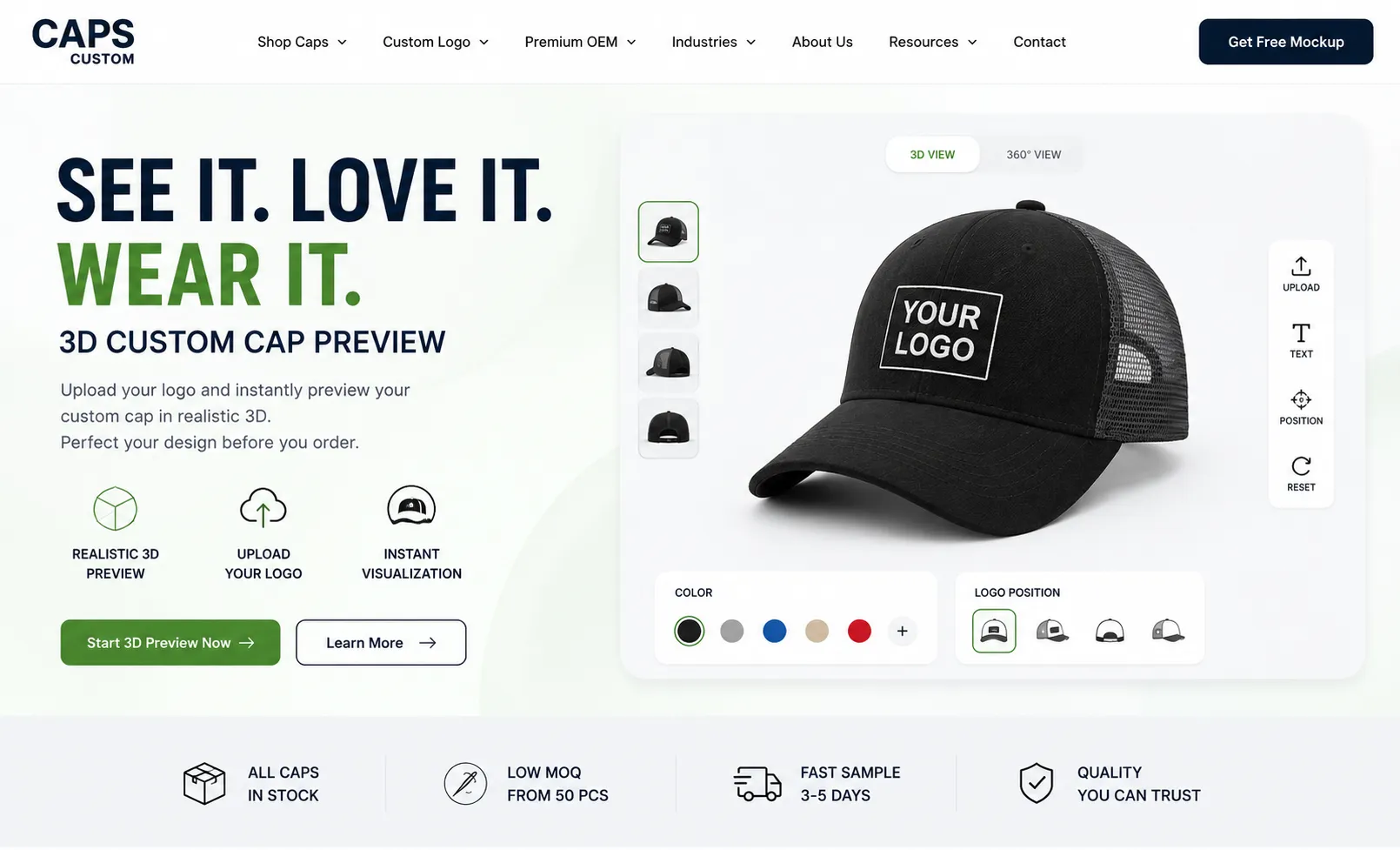
Once your logo is uploaded, our 3D customizer renders a photorealistic preview. Rotate the cap 360°, switch colorways, and test different logo placements — all before committing to an order.
Step 5: Request a Quote
Happy with the preview? Click "Request a Quote" and fill in your quantity, timeline, and delivery destination. Our team responds within 1–2 business days with a full price breakdown at your requested MOQ.
Step 6: Approve & Produce
After accepting the quote we send a production-ready mockup for final sign-off. Once approved, your order enters our production queue. Standard lead time is 15–20 business days after approval.
Tips for Best Results
Keep embroidery designs under 10,000 stitches for the fastest turnaround. Avoid very thin lines under 1mm as they do not embroider cleanly. For screen print, limit to 4 spot colors to keep unit costs low. Always request a physical sample for orders over 500 pieces.